Let’s break it down properly.
What Is On-Page SEO?
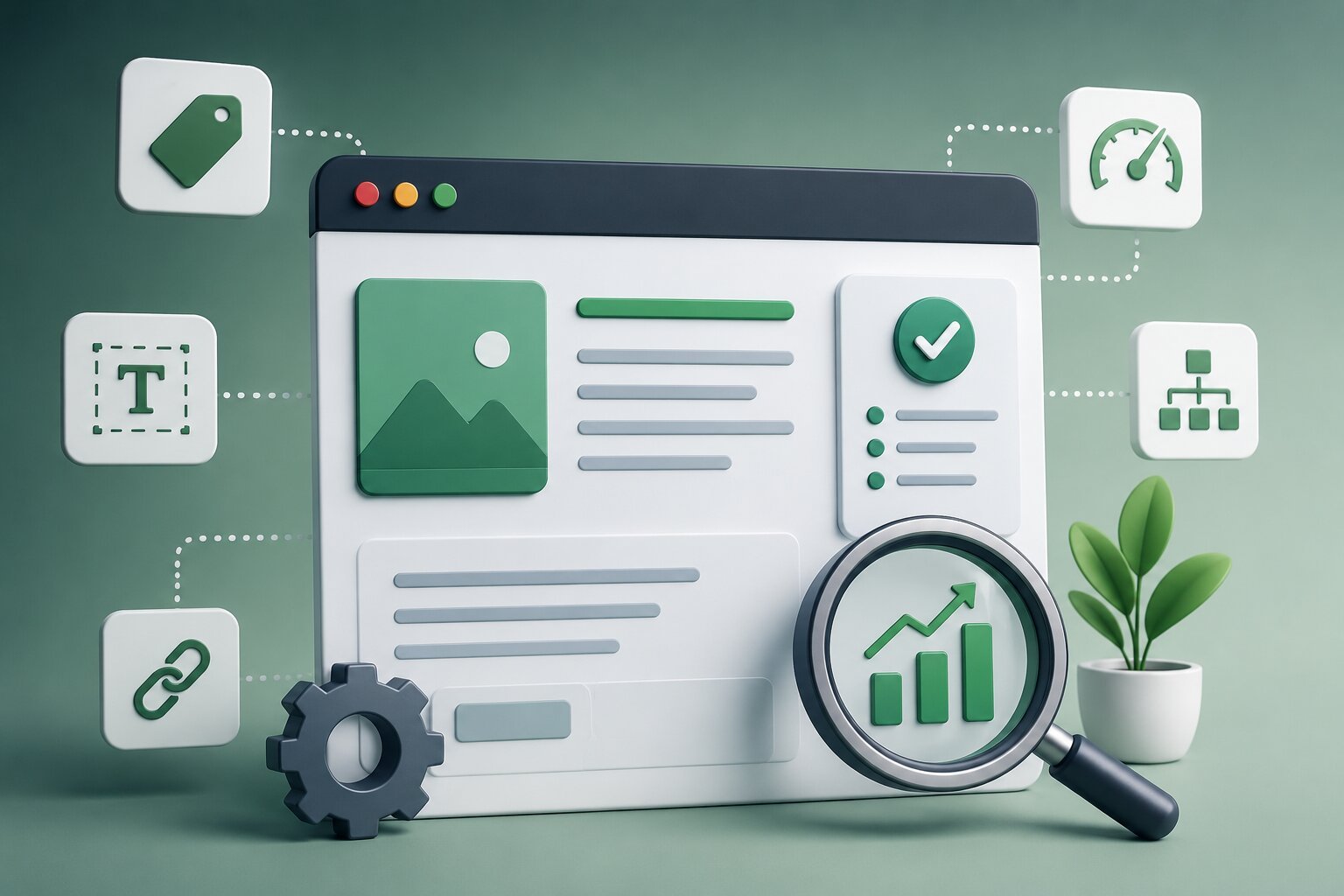
On-page SEO means optimizing everything on your website so Google understands it, ranks it, and shows it to the right people. This includes your content, titles, headings, images, internal links, and page structure.
Think of it this way. Off-page SEO is what other sites say about you. On-page SEO is what your own site says about itself. Google reads your pages like a checklist. The more boxes you tick correctly, the better your chances of ranking.
Why On-Page SEO Matters More Than People Think
Most business owners in Pakistan focus on backlinks or “SEO services” without fixing the basics first. That’s backwards.
If your on-page SEO is weak, backlinks won’t save you. Google can’t rank a page it doesn’t understand. Fix the foundation first. Everything else works better after that.
The Core Elements of On-Page SEO
Before the advanced tricks, let’s cover the basics you need in place.
Title tags Your title tag is the blue clickable link in search results. It should include your main keyword naturally, stay under 60 characters, and actually make someone want to click.
Meta descriptions This is the small description under your title. It doesn’t directly affect rankings, but it affects clicks. A good meta description answers “what will I get if I click this?”
Headings (H1, H2, H3) Your H1 should match the page’s main topic. H2s and H3s break content into sections, which helps both readers and Google understand structure.
URL structure Keep URLs short and readable. “/seo-services-lahore” beats “/page?id=4728” every time.
Content quality Google rewards content that actually answers the searcher’s question, in depth, without fluff. Thin content rarely ranks anymore.
Internal linking Linking between your own pages helps Google understand your site structure and helps visitors explore more of your content.
Image optimization Compress images, use descriptive file names, and add alt text. This helps both page speed and image search visibility.
Advanced On-Page SEO Tricks
Now for the part that actually separates ranking pages from average ones.
1. Match Search Intent, Not Just Keywords
Google cares about intent more than exact keyword matches now. If someone searches “SEO services Karachi,” they want a service page, not a blog post explaining what SEO is. Match the content format to what’s already ranking for that keyword.
2. Use Semantic Keywords, Not Just Repetition
Stuffing the same keyword repeatedly doesn’t help anymore. Instead, use related terms naturally. For “on-page SEO,” related terms include meta tags, keyword density, content structure, technical SEO, and page experience. This tells Google your content covers the topic fully, not just the keyword.
3. Optimize for Featured Snippets
Structure your content so Google can easily pull an answer for a featured snippet. Short, direct answers right after a heading work well, especially for question-based searches.
4. Build Topical Authority With Content Clusters
Don’t just publish random posts. Build clusters around one topic. For example, a main page on “SEO services” linked to supporting posts like “local SEO,” “technical SEO,” and “SEO cost in Pakistan.” This structure signals to Google that your site is an authority on the topic, not just a single lucky page.
5. Optimize for AI Search and Generative Engines
Search is changing. Tools like Google AI Overviews and ChatGPT pull direct answers from web content. To optimize for this:
- Answer questions directly and early in the content
- Use clear headings that match how people phrase questions
- Include FAQs with concise answers
- Structure content so a single paragraph can stand alone as an answer
This is often called GEO, or generative engine optimization. It’s becoming as important as traditional SEO.
6. Improve Page Experience Signals
Google tracks how users interact with your page. Slow loading, intrusive pop-ups, or hard-to-read text all hurt rankings indirectly, through higher bounce rates. Fast, clean, mobile-friendly pages perform better across the board.
7. Use Schema Markup
Schema markup is code that helps search engines understand your content better. FAQ schema, review schema, and article schema can all improve how your page appears in search results, sometimes with extra visual elements like star ratings or expandable FAQs.
8. Optimize for E-E-A-T
Google evaluates Experience, Expertise, Authoritativeness, and Trustworthiness. For a business website, this means showing real author names, credentials, contact information, and genuine case studies or reviews. This matters especially for service-based industries like clinics, real estate, or finance.
9. Update Old Content Regularly
Google favors fresh, updated content over stale pages. Revisiting old posts, updating statistics, and expanding thin sections often brings ranking improvements faster than writing new content from scratch.
10. Optimize for Mobile-First Indexing
Google primarily uses the mobile version of your site for ranking, not desktop. If your mobile site is slow, cluttered, or missing content compared to desktop, you’re losing rankings without realizing it.
Common On-Page SEO Mistakes to Avoid
- Duplicate title tags across multiple pages
- Missing alt text on images
- Thin content that doesn’t fully answer the search query
- Ignoring internal linking between related pages
- Keyword stuffing instead of natural, semantic writing
- Slow page speed from unoptimized images or heavy scripts
Final Thoughts
On-page SEO isn’t a one-time task. It’s an ongoing process of matching what Google wants with what your visitors actually need. Get the basics right first: titles, headings, content quality, and site structure. Then layer in the advanced tricks: semantic keywords, topical clusters, schema markup, and generative engine optimization.
Do this consistently, and your website stops being invisible. It starts becoming the answer Google, and increasingly AI search tools, actually want to show people.
FAQs
What is the difference between on-page and off-page SEO?
On-page SEO covers everything you control on your own website, like content and structure. Off-page SEO covers external factors, like backlinks and mentions from other sites.
Does keyword density still matter for on-page SEO?
Not in the old sense. Google now focuses on semantic relevance and natural language, not exact keyword repetition. Covering a topic thoroughly matters more than repeating one keyword.
What is topical authority in SEO?
Topical authority means your website covers a subject in depth, through multiple connected pages, rather than a single isolated article. This helps Google trust your site as a reliable source on that topic.
How does on-page SEO help with AI search results?
Clear structure, direct answers, and well-organized content make it easier for AI tools and generative search engines to pull accurate information from your page, increasing visibility in AI-generated answers.